



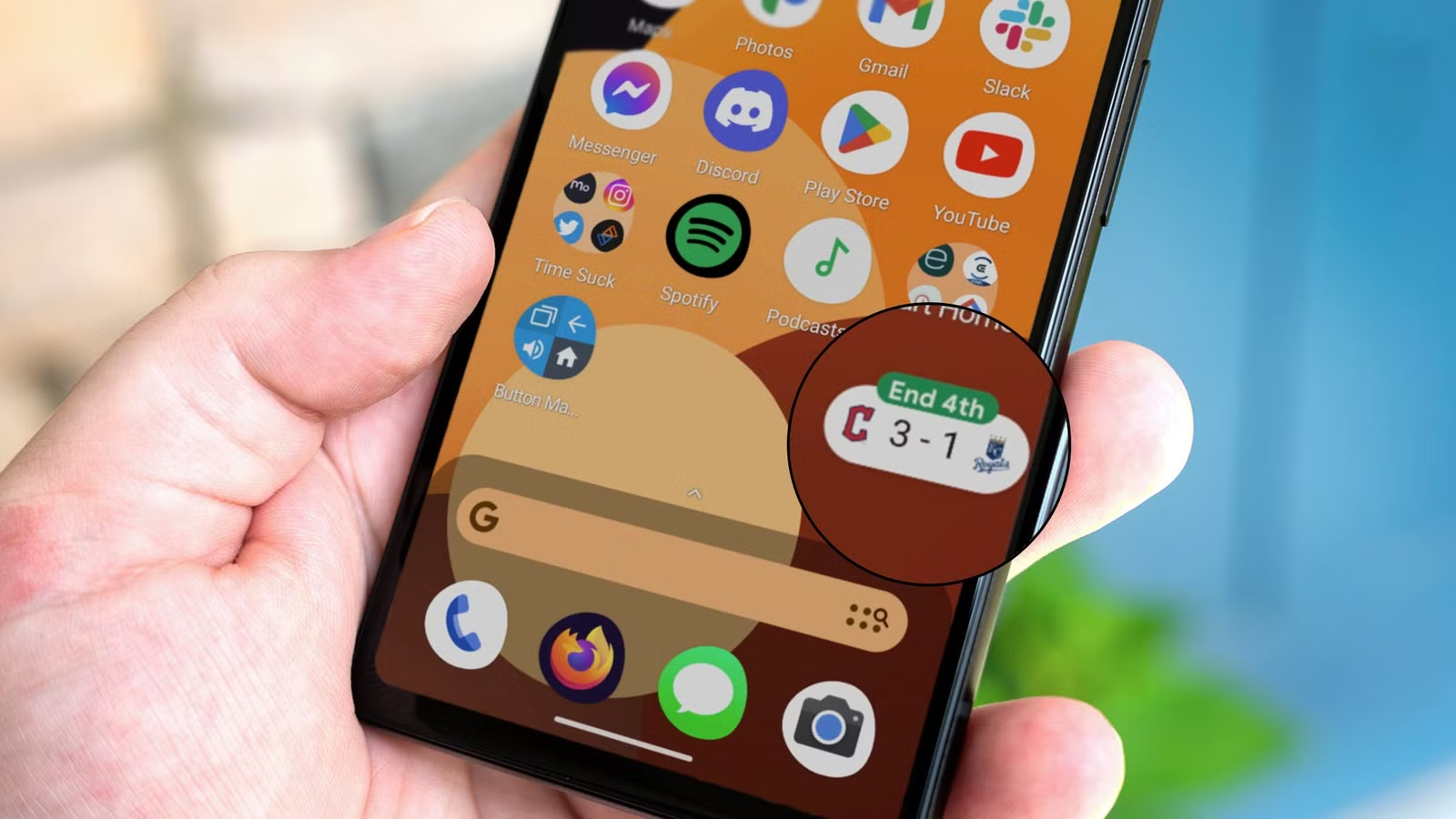
Watching a sporting event live is the best way to keep up with the action, but that is not always possible. If you use an Android phone or tablet, you can keep track of live scores by pinning them in a small floating bubble on your screen.
This feature works through the Google app. You can search for a sport, team, or specific event and then pin the live score so it stays visible while you use other apps.
To get started, open the Google app or use the Google search widget on your home screen. Then search for the team, sport, or event you want to follow.
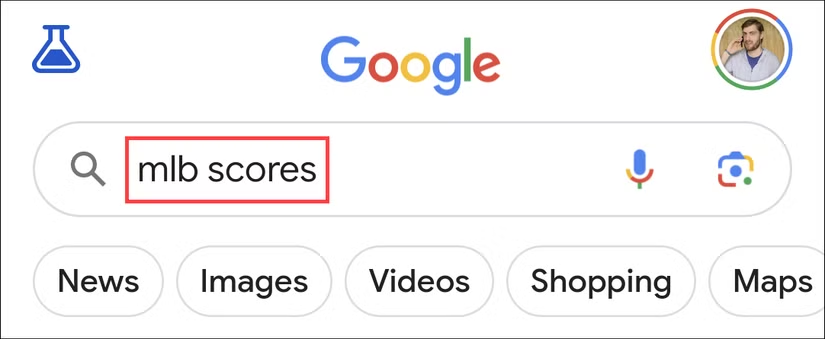
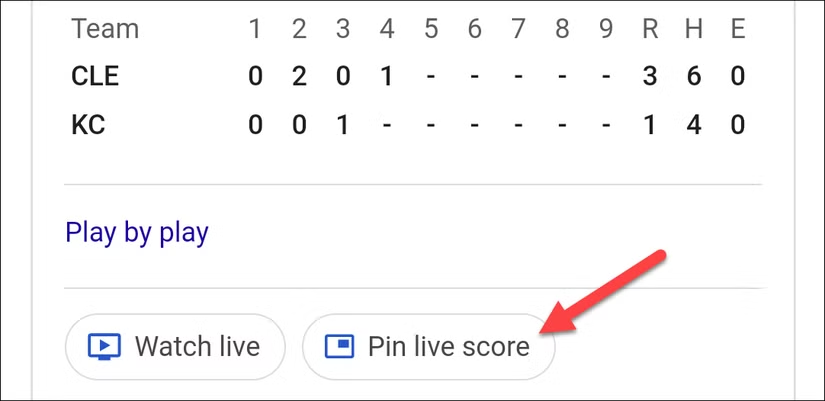
Results for your search will appear, and if there is a live event happening, you’ll see a “Pin Live Score” button.
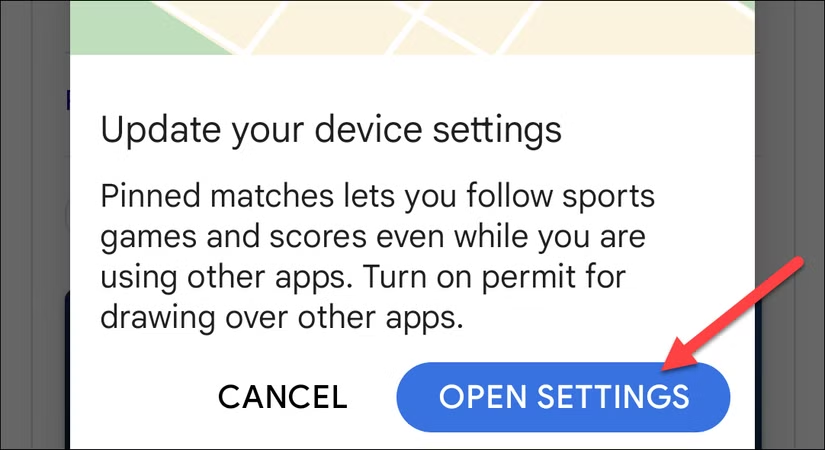
You may be prompted to change a permission that allows the Google app to appear over other apps. This permission is needed so the floating score bubble can remain visible while you use your device.
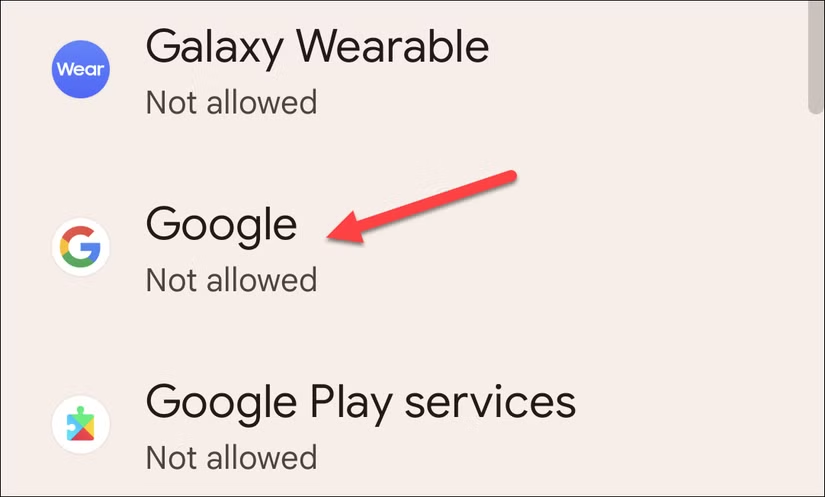
Tap Open Settings, then enable the option that allows Google to display over other apps.
On the next screen, find “Google” on the list.
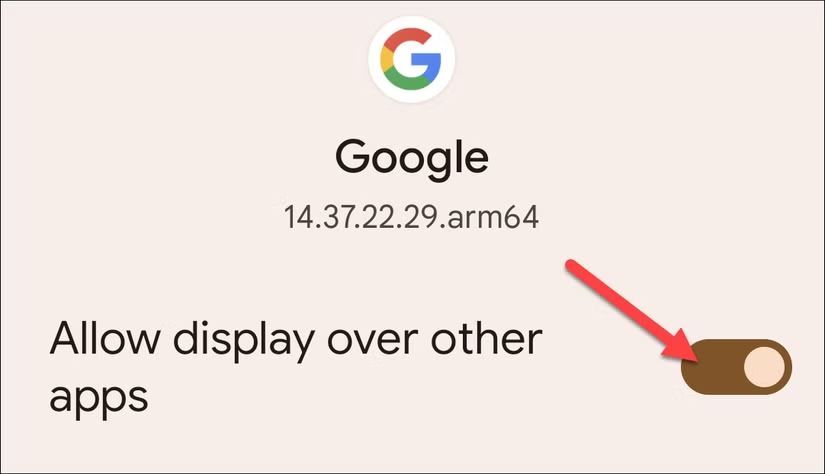
Toggle the switch to “Allow Display Over Other Apps.”
Go back to the Google app and tap Pin Live Score again.
The live score will appear as a small floating bubble that stays visible on top of other apps while you use your Android device. You can also drag the bubble to a different position on the screen.
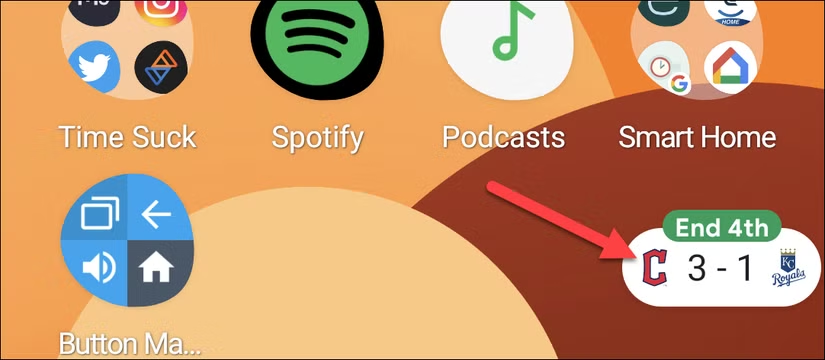
Tap the floating score bubble to open a small window with more details about the event and additional options.
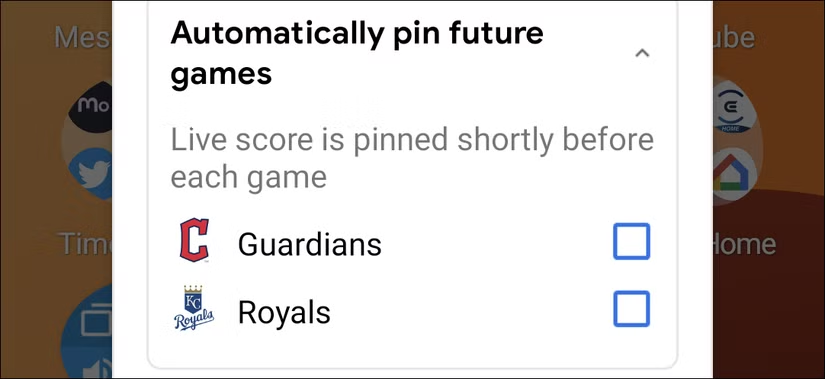
If you want Google to keep showing scores for upcoming games, tap Automatically Pin Future Games.
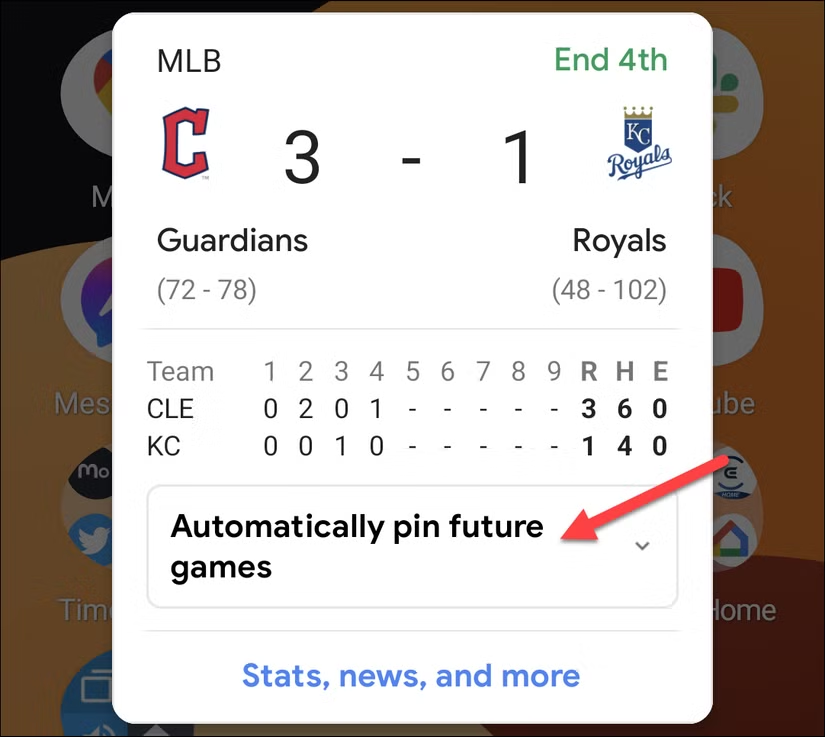
Select the team you wish to follow, and Google will automatically pin scores to your screen when they are playing a game.
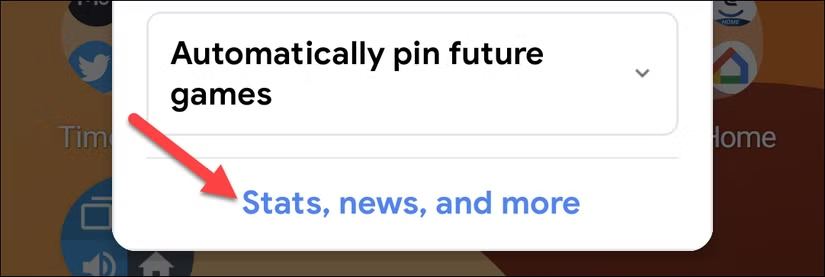
You can also tap Stats, News, and More to open the event page in the Google app.
There, you can view additional details such as match statistics, updates, and related information.
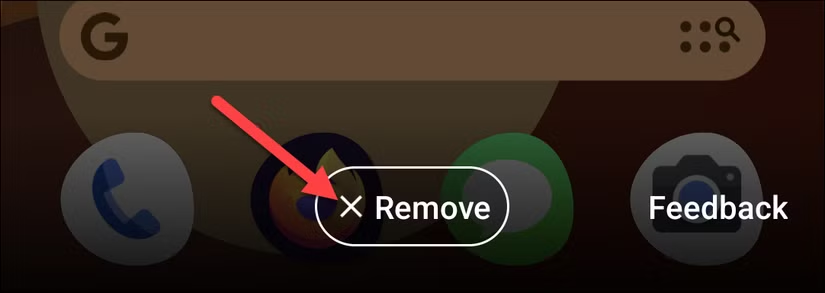
To remove the pinned score from your screen, simply tap it and select “Remove” at the bottom of the screen.
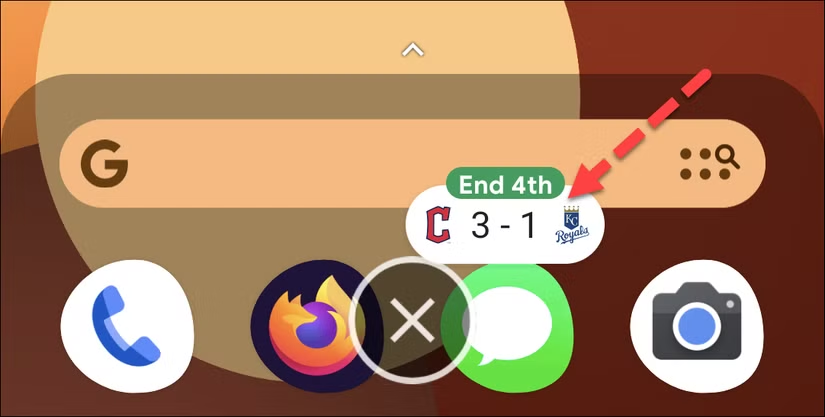
Alternatively, you can drag the bubble to the “X” at the bottom of your screen.
That’s all you need to do. Pinning live scores is a convenient way to follow a game without repeatedly opening an app or refreshing a webpage.
The floating score bubble keeps the latest updates visible while you continue using your Android device.
Frequently Asked Questions:
How do I pin live sports scores on Android?
Open the Google app, search for a team, sport, or event, and tap Pin Live Score when the option appears.
Do I need to allow Google to display over other apps?
Yes. This permission lets the floating score bubble stay visible on top of other apps while you use your device.
Can I move the live score bubble around the screen?
Yes. You can drag the floating score bubble to a different position on your screen.
Can I automatically pin future games?
Yes. Tap the floating score bubble and select Automatically Pin Future Games to keep track of upcoming matches.
How can I see more details about a game?
Tap the score bubble and choose Stats, News, and More to open additional event information in the Google app.
Does the live score bubble stay visible while I use other apps?
Yes. As long as the required display-over-other-apps permission is enabled, the score bubble can remain on screen while you use other apps.
How do I remove a pinned live score?
You can dismiss the floating score bubble when you no longer want to follow the event, or turn off automatic pinning for future games.
Conclusion:
Pinning live sports scores on your Android screen is a simple way to stay updated without constantly opening an app or refreshing a webpage. The floating score bubble keeps important game information visible while you continue using your device.
You can also move the bubble, view more event details, and enable automatic pinning for future games, making it easier to follow your favorite teams and matches in real time.
